👏🏾 Done! The Annual Report Checkpoint is on its way to your inbox. 👏🏾
Now that you've got an honest read on where your report stands, let's give you the structure to close the gap. Here's your next step. Keep scrolling.

👏🏾 Done! The Annual Report Checkpoint is on its way to your inbox. 👏🏾
Now that you've got an honest read on where your report stands, let's give you the structure to close the gap. Here's your next step. Keep scrolling.
Plan it, design it, launch it. The whole system in one place, so a report that used to take your whole quarter to put together now only takes an afternoon (or two).
Instant Canva download. One system you can use for every year’s report.


With a free template, you'll be stuck spending hours making a generic layout look like it's yours, with little to no guidance on the order your story should go in. And you'll be left to figure out the donor psychology structure on your own (or skip it entirely).
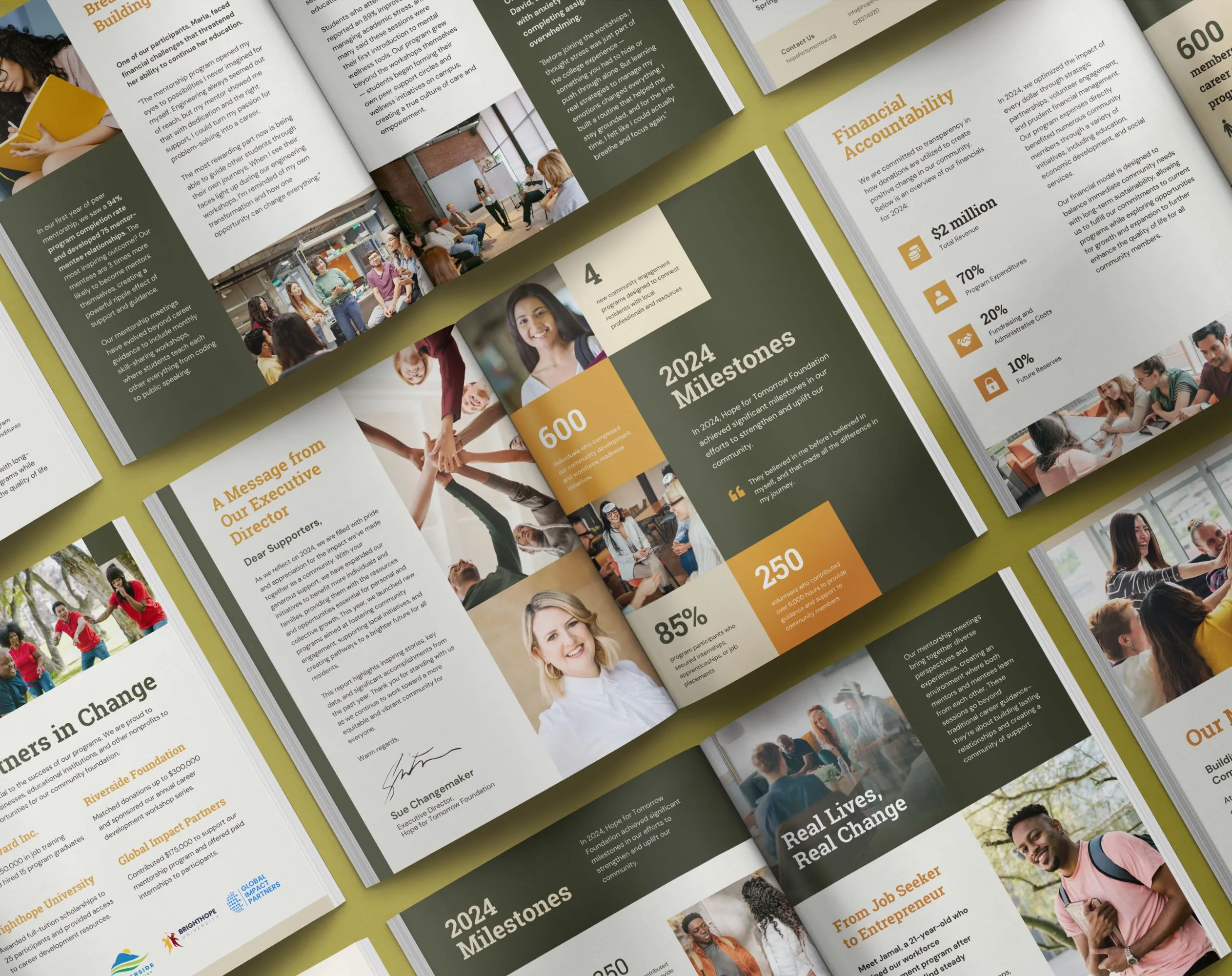
Our Annual Report Template System isn't a fill-in-the-blank Canva file. It's a full nonprofit annual report template built around the BELIEF by Design™ structure—the same framework we use for clients paying thousands for the done-for-you version.
You get the thinking, not just the layout.$497 once, rather than spending a week or more every year trying to make a free template feel like something you'd be proud to send.

Start with a plan
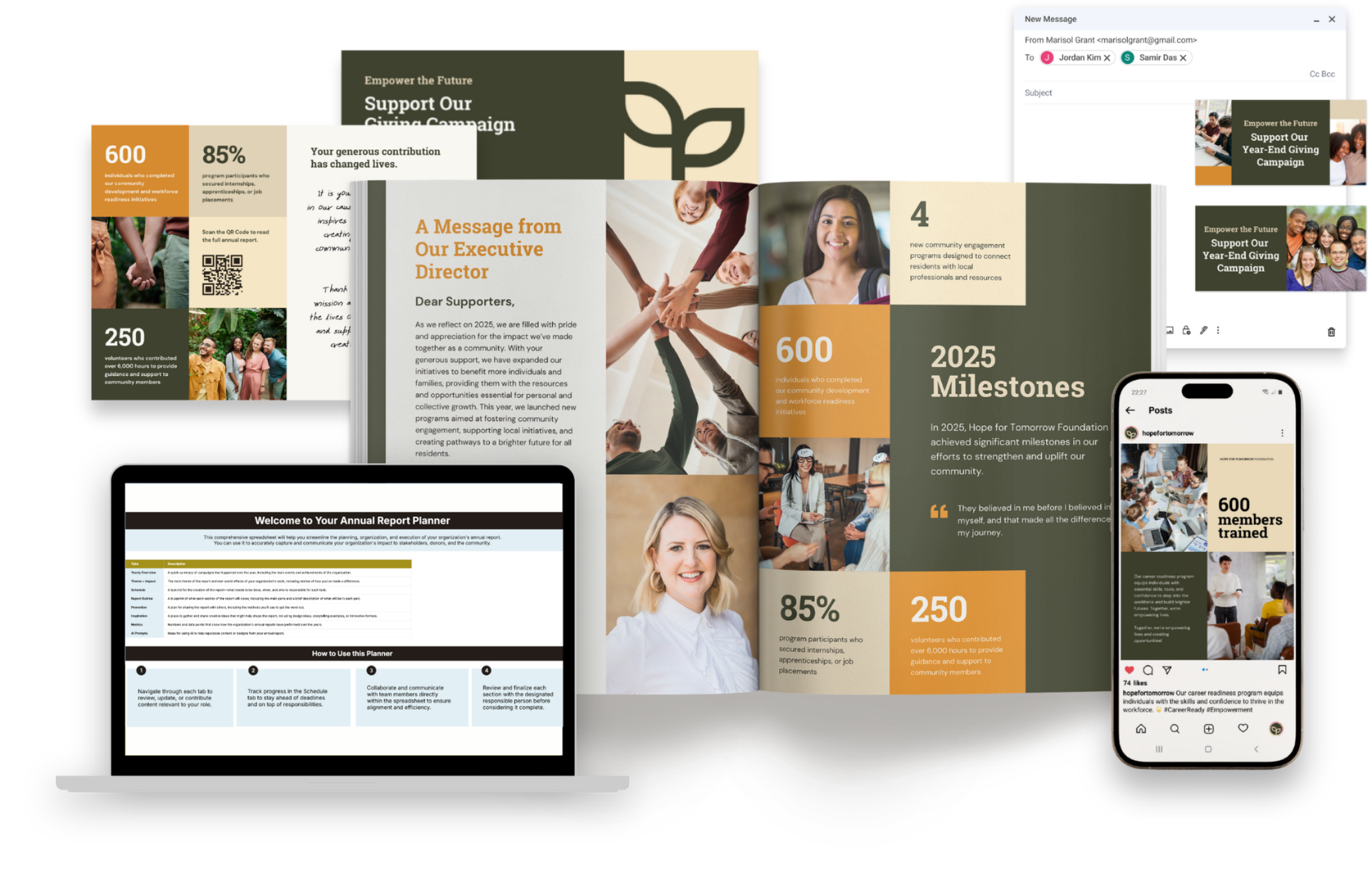
The Annual Report Planner gets your content, data, and team organized before you design a thing.
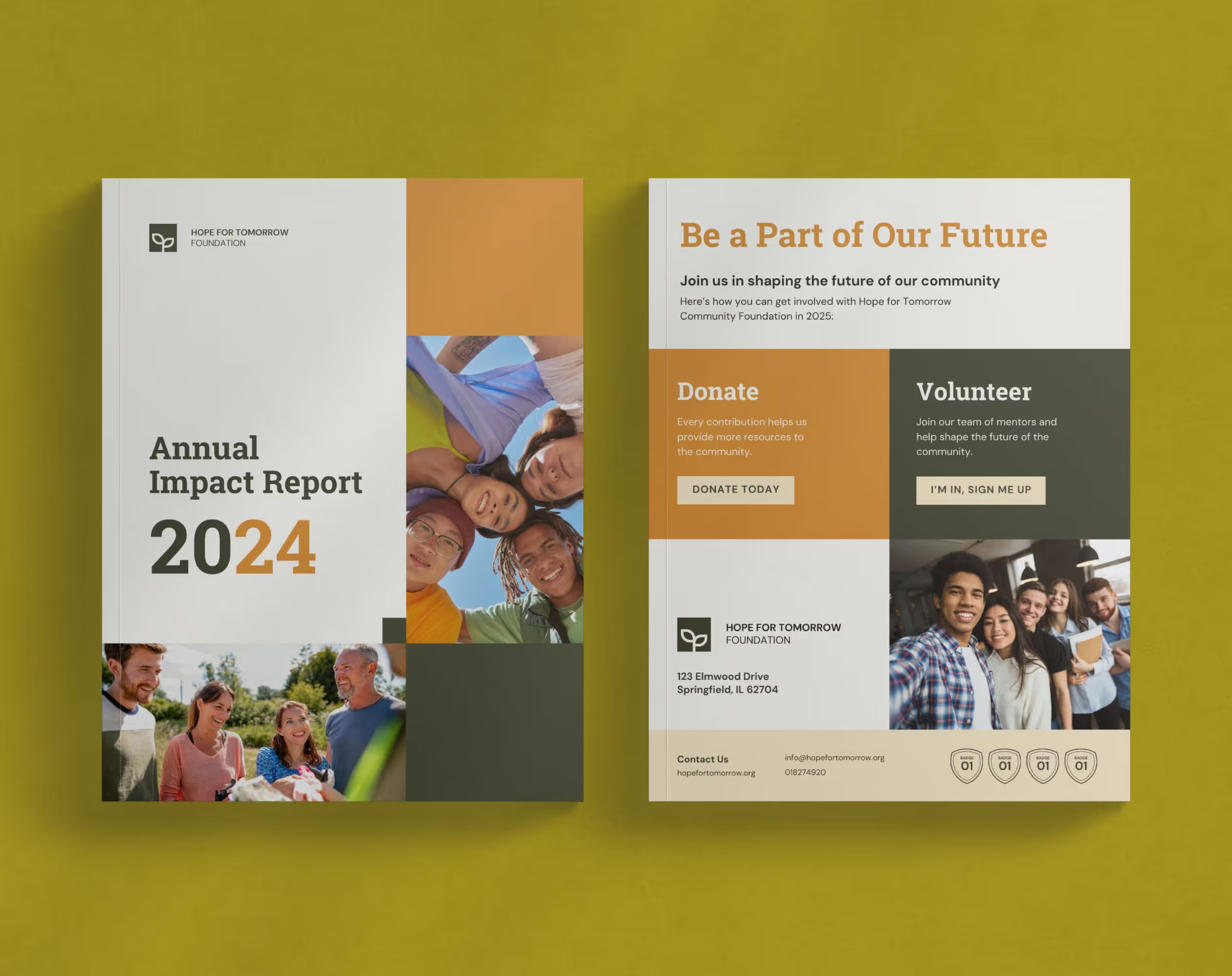
A full 20-page annual report, cover to back page
Every spread is designed and sequenced. Covers, table of contents, mission and vision, the ED letter, major accomplishments, impact stories, program details, financials, infographics, donor recognition, partners, and future plans.
A Canva annual report template, ready to edit
The kit auto-copies into your own Canva workspace, so there's no new software or learning curve.
The BELIEF by Design™ structure, baked into every page
Your report is built in the order donors actually read, so the story connects immediately.
A matching Launch Suite
One report turns into months of content. A thank-you postcard, 6 social graphics, 2 email banners, and 2 email signatures.
Editable stats, charts, and layouts
Drop in your numbers and your brand colors. Your data, made to actually mean something instead of just sitting there.
A simple quickstart guide
Get an exact walk-through of customizing your report, start to finish. You’ll always know where to begin and what to do next.
Lifetime access, plus updates
Use it this year, next year, and the years after for your annual report and the rest of your donor material.









.avif)
.webp)

I'm Olivia, and I started Acton Circle because too many nonprofits were doing great work and getting missed. Their materials weren't telling the real story. I built Acton Circle to fix that. For good.
The name comes from my grandparents. They lived on Acton Circle in Berkeley, CA. The font comes from my grandfather's handwriting.
They were the kind of people who loved big and served others faithfully. For decades. Without making a thing of it.
So no, this was never just about design. It's about honoring a legacy and supporting the missions that are making a real difference.
If your organization is doing work worth remembering, let's make sure people know it.

To get the most out of this nonprofit annual report template, we recommend using Canva Pro. It provides essential features like Brand Kit integration for consistent branding and access to premium elements and features that may enhance your customization options.
Non-Canva Pro users can still use the system, but we can’t guarantee the functionality of the premium fonts and elements included in the kits (Canva Pro is worth it, we promise).
Yes! Drop in your colors, fonts, logo, and photos, and the whole system shifts to your brand. The layout stays; the look becomes yours.
All design elements are fully customizable. You can easily modify color palettes using Canva’s color picker tool, substitute fonts with others available in Canva (including your organization’s brand fonts with Canva Pro), and replace images by clicking on any placeholder and uploading your own photos.
Yes, and you’re exactly who I built this system for. If you can swap a photo and type into a text box, you can do this. Everything’s already laid out, so you’re editing, not designing from scratch.
Plus, we have a nifty quickstart guide to walk you through the process.
That's the whole point, and it's not just for next year's annual report.
Lifetime access (plus any updates) means you reach for the same system again and again. Use it for your annual reports, impact mailers, donor one-pagers, and board updates. One purchase, multiple donor materials off your plate.
We offer email support for basic template questions. For Canva-specific functionality questions, Canva’s help center and support team are an excellent resource.
You’ll receive a downloadable PDF via email with Canva links that will auto-copy the designs into your Canva workspace.
That’s the full 20-page report and the matching Launch Suite—postcard, social graphics, email banners, and signatures—all copied straight into your account, ready to edit.
Totally get it. If DIY isn’t your thing, the Annual Report Design Intensive is the done-for-you option—same donor-psychology structure, built for you, start to finish.
Because free usually means generic, and generic doesn't build belief. A free template gets you a layout. This system gets you the layout AND the structure donors actually respond to, built by someone who's done this for 65+ nonprofits. $497 once versus hours of guesswork every year.